
A walk-through of the the Node-HIU Dashboard on a real world development.
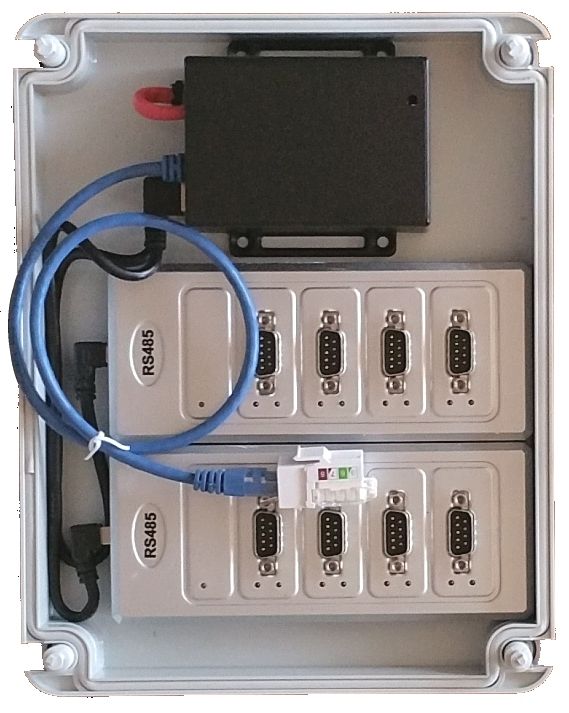
The Node-HIU Switch is used to connect HIUs to a Local Area Network (LAN) to provide remote connectivity, and implement control strategies through distributed logic.
It guarantees efficient and reliable heat network operation, and is used by a growing number of house builders and local authorities.
Not just any BMS motioning system - the most advanced HIU management system in existence, from the manufacturers of the most efficient HIUs in existence.
The Node-HIU Switch Provides
- 100% accurate commissioning of every single HIU on a heat network
- Real-time, one second resolution data, so every event is captured
- Remote commissioning
- Remote user control
- Warning and alarm detection, so no problem goes unrecognised
- Routing of alarms to personnel, so no problem goes unreported
- Performance monitoring and tracking
- Reports from various stages of installation through commissioning, to to hand-over and beyond, uploaded to a shareable Dropbox folder
- A connection between BMS systems in plantroom and HIUs as a Modbus slave
- The means to implement peak load (capital expense) saving strategies, such as rapid load shedding
- Additional sensor options for differential pressure and temperature sensing on network
- Plantroom BMS functionality, including pump and boiler control as a Modbus master
- End to end functionality on the same software platform
- Device communications over RS485, RS232, Modbus, OneWire & Relays
- Network communications over Ethernet, WiFi, GSM, or USSD
- Built on unified open-source technologies
Fully automated, exceptionally efficient heat networks, with a resilient architecture based on distributed nodes that monitor performance and route alarms when they appear.
An IoT network for a heat network.
Documentation
Network Dashboard
The Network Dashboard is run from one or two Node-HIU Switches on a network, having a fixed network address, to provide access to a browser based dashboard system.
This dashboard reads and filters all HIU traffic to present important information in the most useful way.
System Summary
To provide installation teams and site management with a simple visual indicator of a heat network's health and performance.
The number of warnings and alarms are clearly indicated, as well as the current system demand (litre/minute), and VWART (Volume Weighed Average Return Temperature).
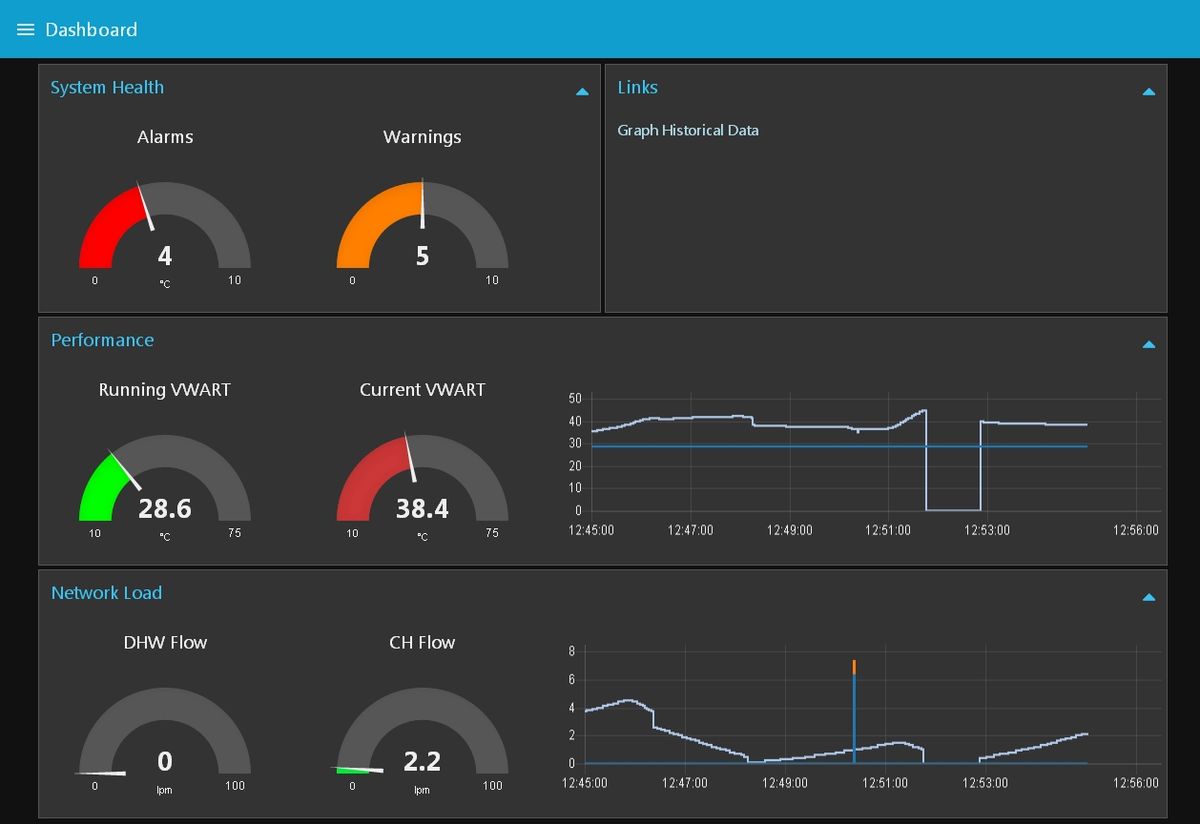
As new warnings and alarms appear, they are forwarded via email to the relevant persons. The Node-RED programming environment allows alarms to be routed based on any logic required. Typically alarms will go to front-line engineers first, and if the persist after a specified time will go to a second tier of management, and so on.
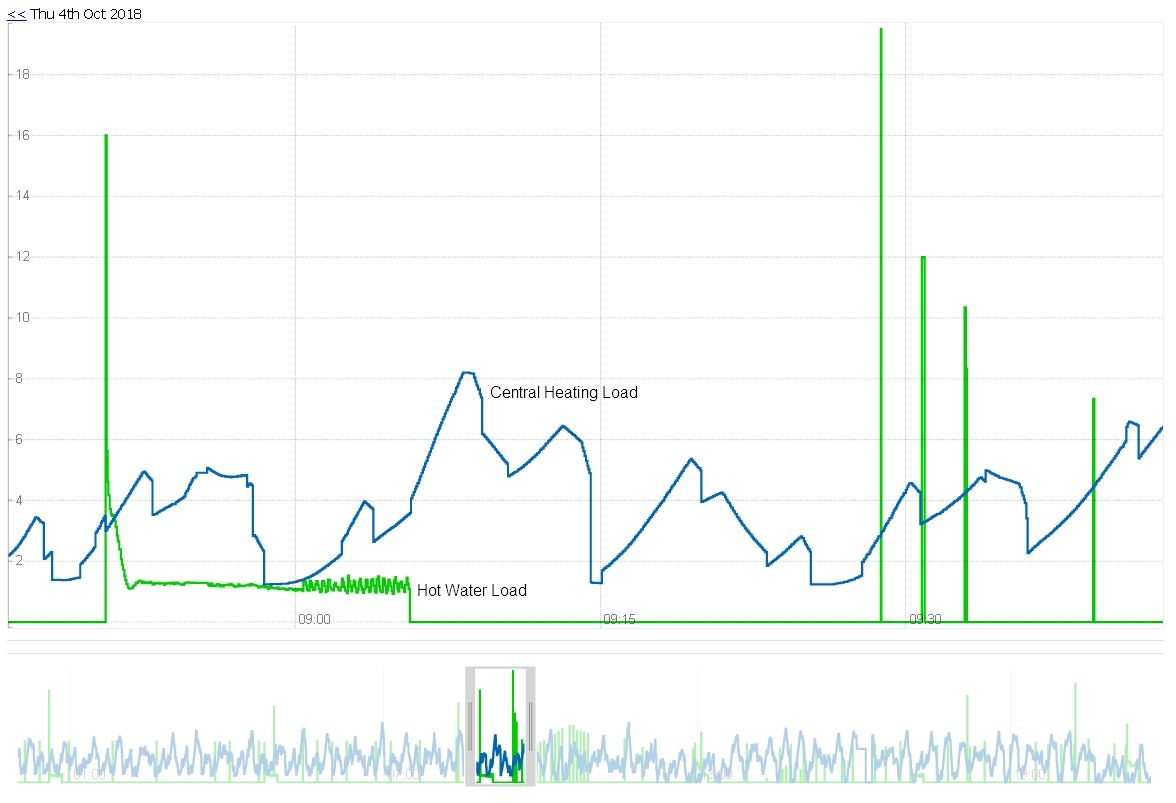
Historic Loads and VWARTs
The summary page provides a link to the recorded load history, at 5 second resolution.
Commissioning Dashboard
The HIU Commissioning Dashboard provides access to data from all HIUs on the network.
Changes in HIU data are updated every second.
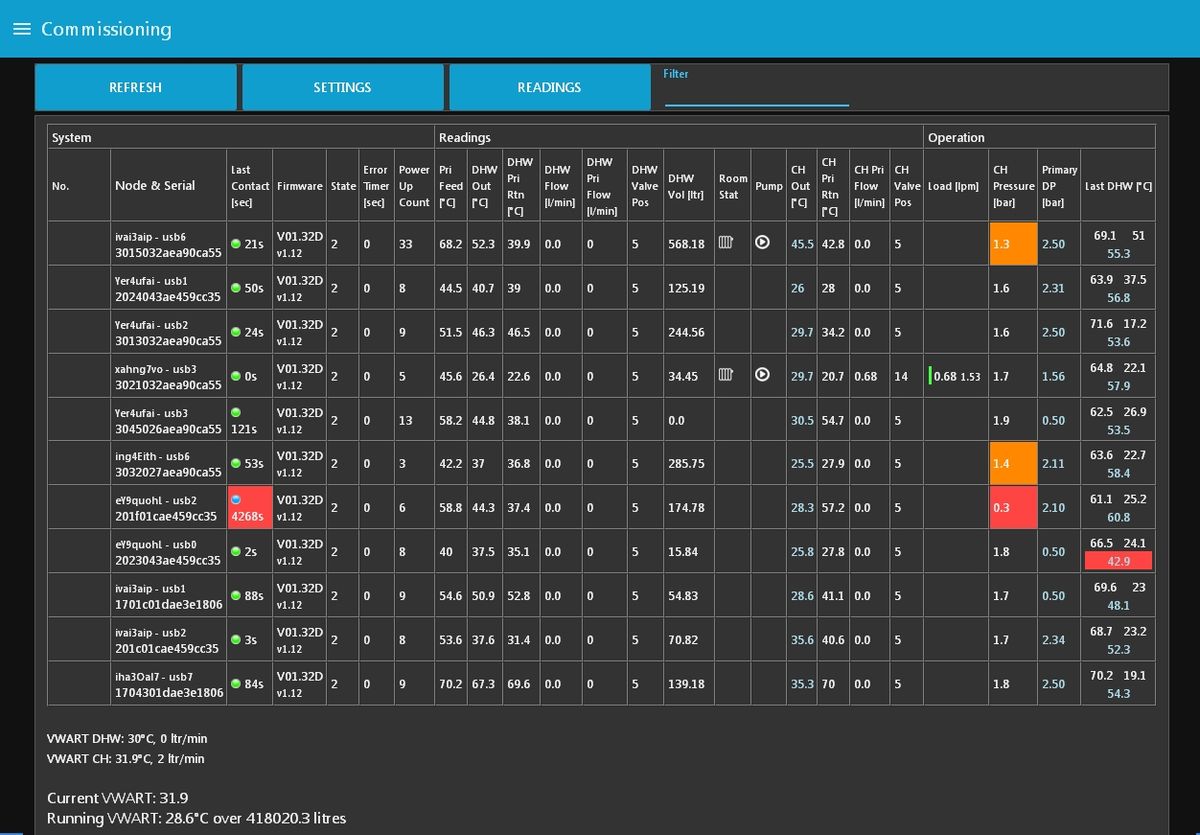
The dashboard shows current HIU readings, as well as settings, and operational parameters and checks. Alarms (need attention now) and warnings (need attention when convenient) are presented in the form of coloured boxes, giving a clear indication of what needs attention.
The following problems can be automatically identified by the system and presented as alarms:
- Incorrect HIU settings
- Low central heating pressure and leaks on heating circuit
- Low differential pressure on network
- Low temperature on heat network
- Crossed pipes
- Bypass flow on network
- Blocked strainers and pipework
- High/low/failure on central heating pump
- Excessive delays in generation of DHW (hot water to taps)
- Unbalanced radiators
- HIU power off (loss of communication to single HIU)
- Node power off(loss of communication to Node-HIU Switch)
- Ethernet down (general loss of communication)
The data is also summed to drive operational statistics, such as the current and historic VWART - average return temperature weighed by volume.
Engineer Screen
The Engineer Screen provides more detailed data on selected HIUs, and allows HIU settings to be changed.
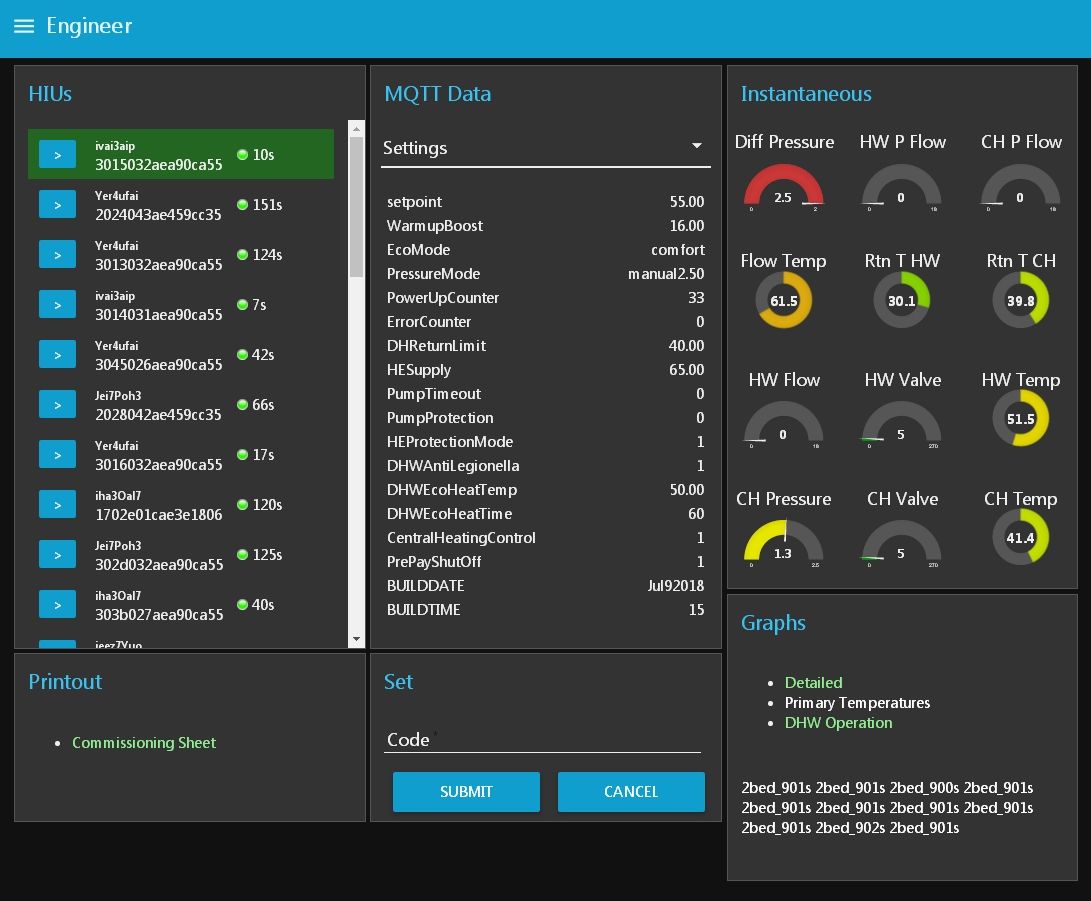
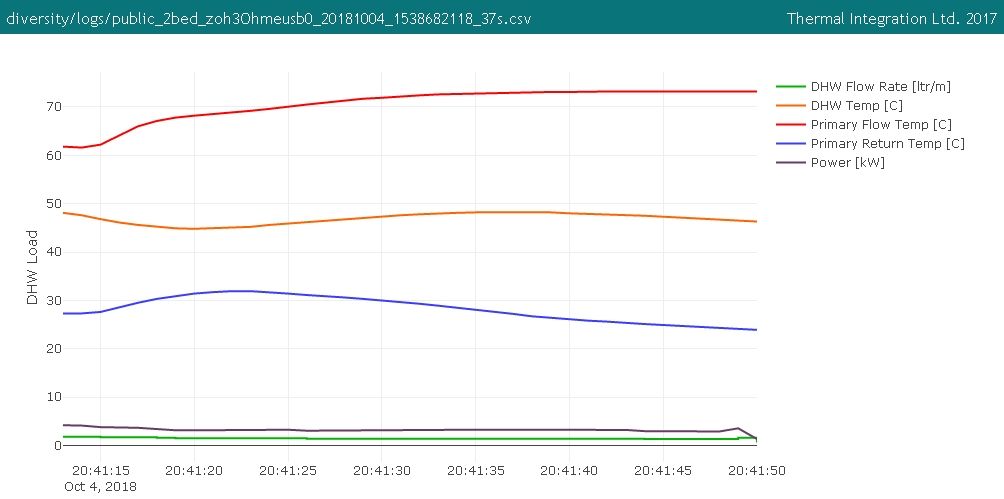
The engineer screen provides links to one second resolution recordings of all recent hot water events.
Other Dashboards
-
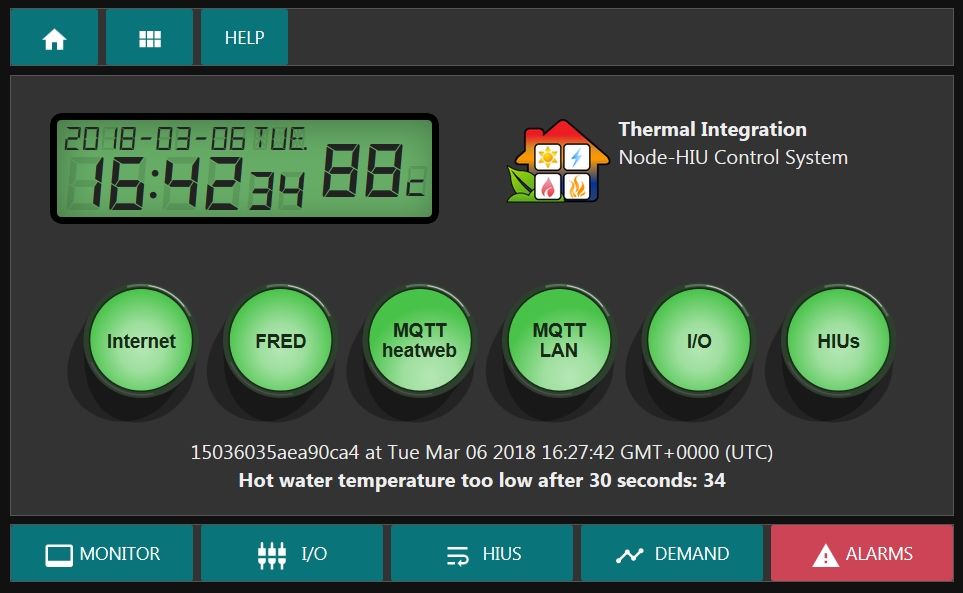
Plantroom control panel display
-
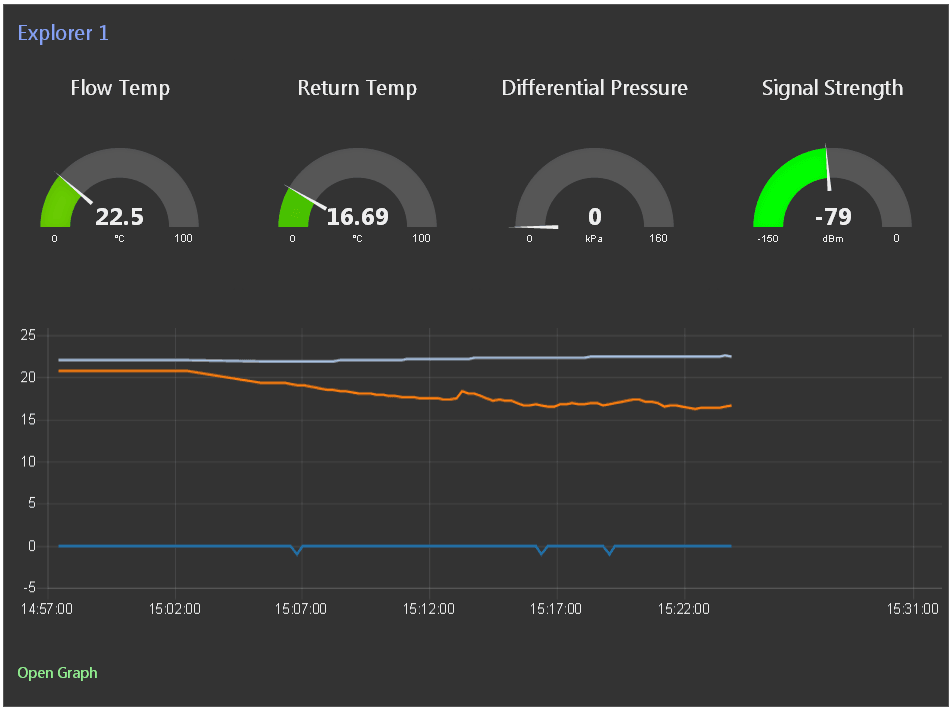
Remote DP & Temperature Sensor
-
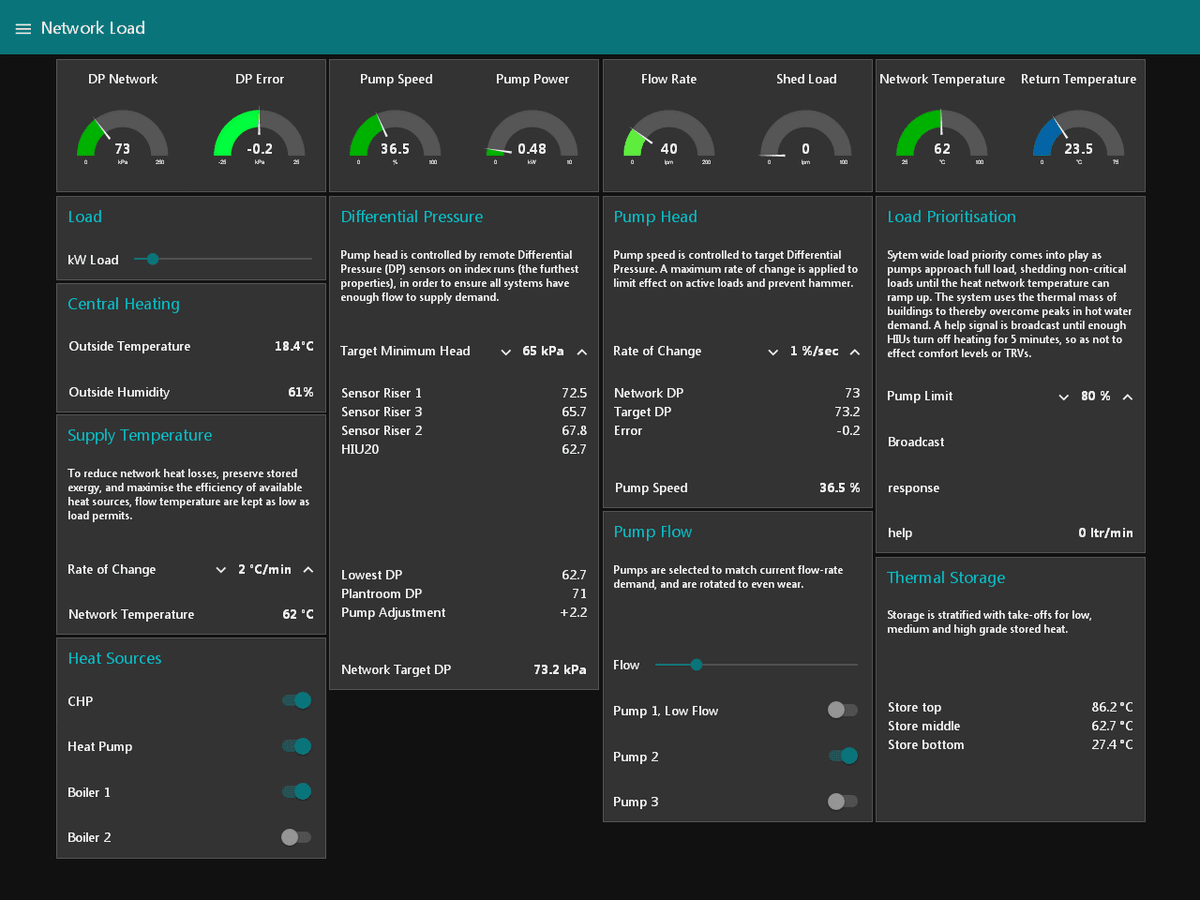
Plantroom control system
-
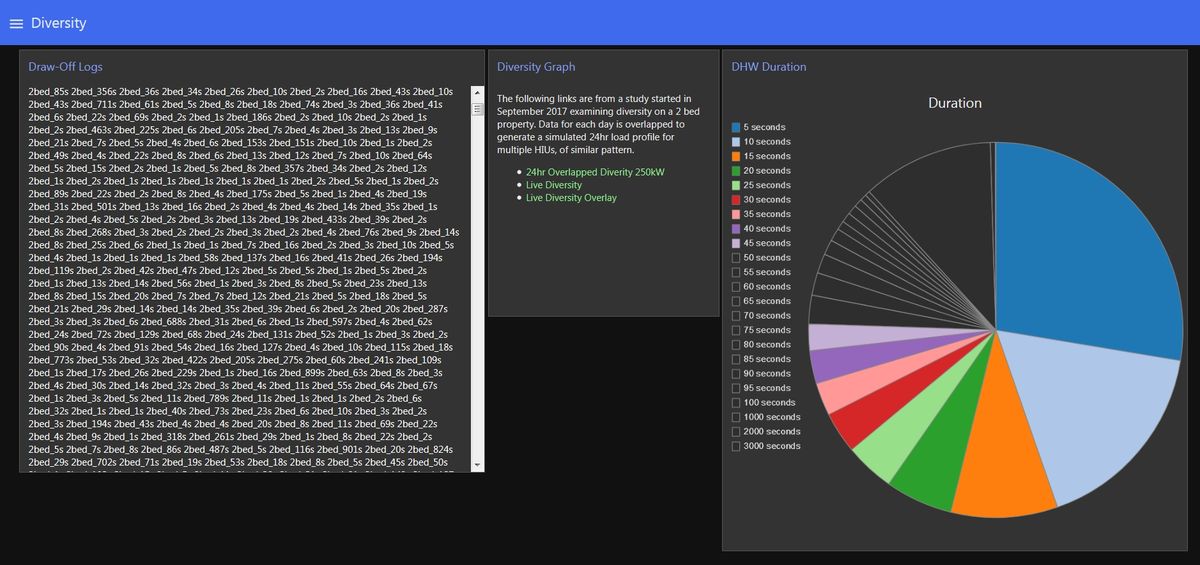
Diversified load analysis
-
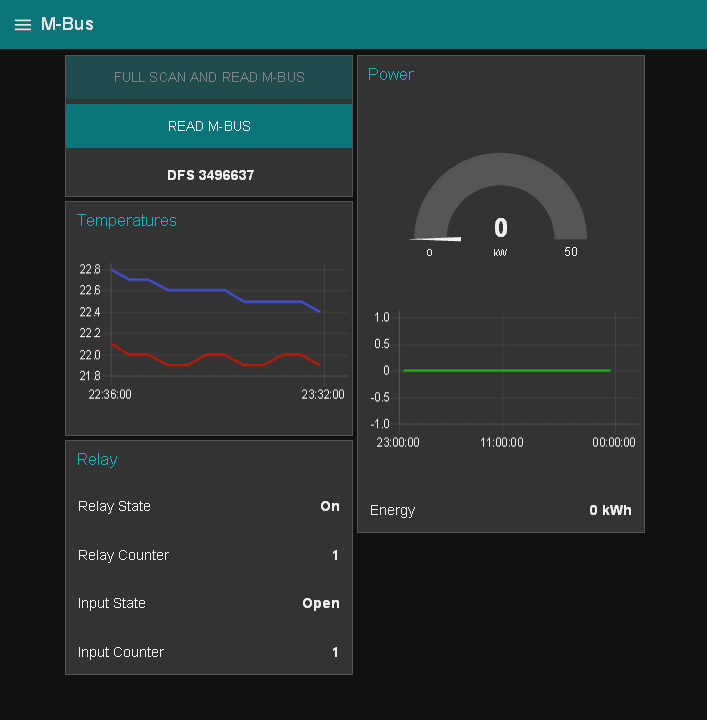
M-Bus
-
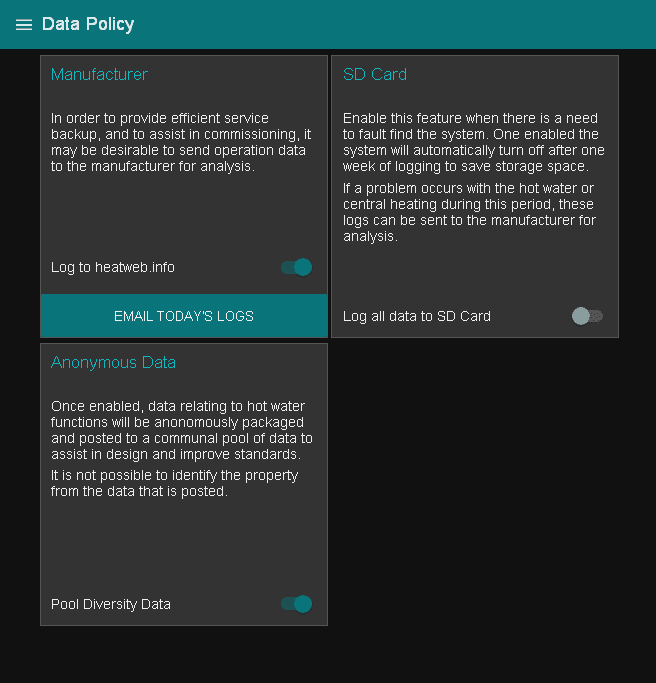
Data options
-
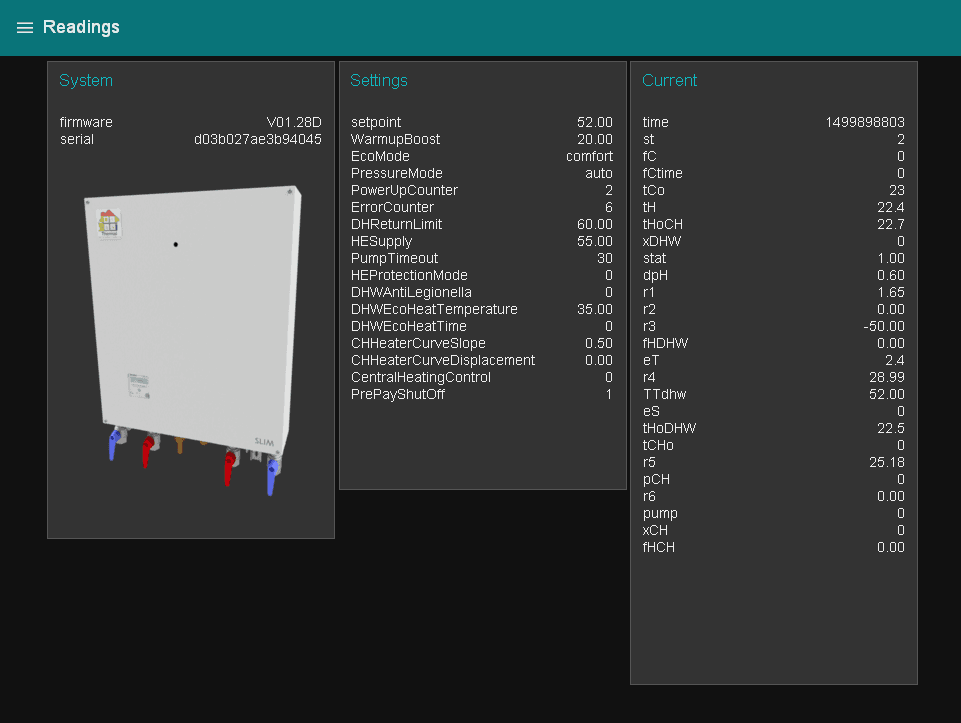
HIU readings
Network Topology
Mobile Infrastructure

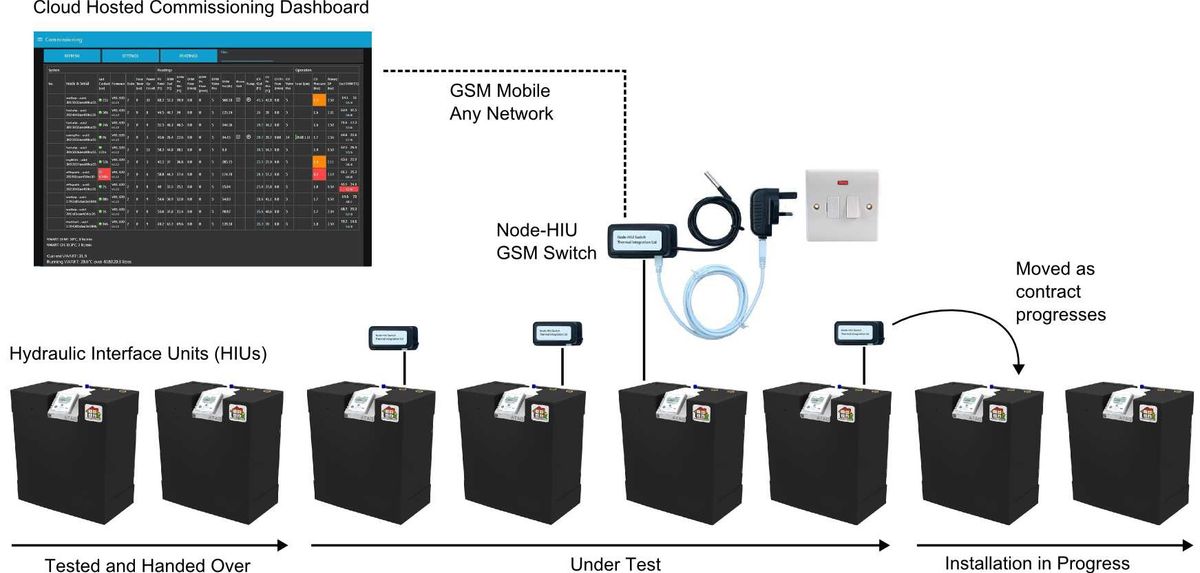
A temporary infrastructure enables the full system to be deployed without any cabling, using GSM communications to a cloud server.
Data charges for each system are approximately £1.50 per month per HIU, making hard-wired infrastructure preferable for long term use on large numbers of dwellings.
Wired Infrastructure
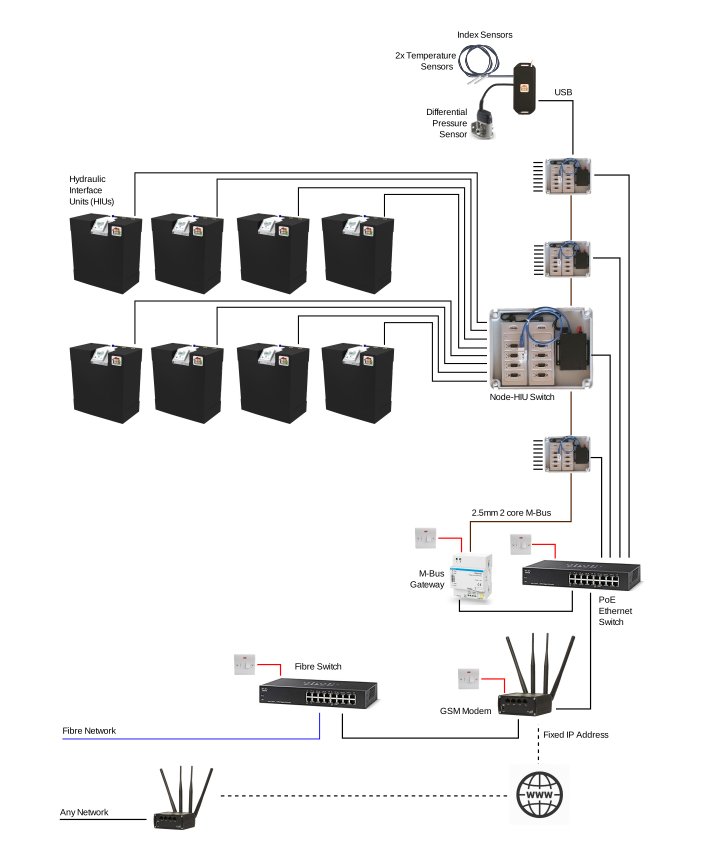
Ethernet

Extended to Fibre
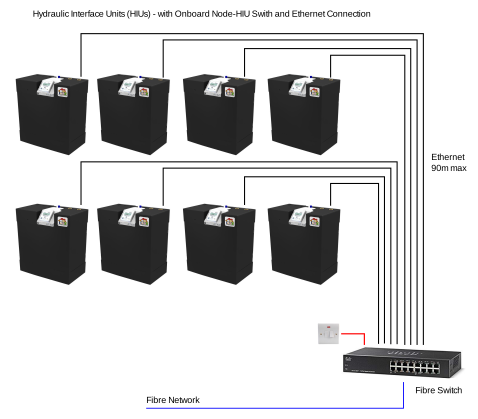
Integral Ethernet
The following layout is for HIUs with onboard Ethernet (build in Node Switch).
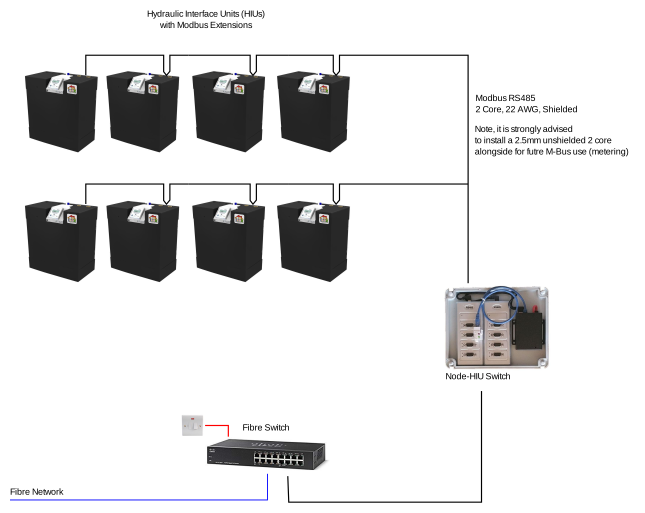
Modbus
The following layout is for HIUs with onboard Modbus.
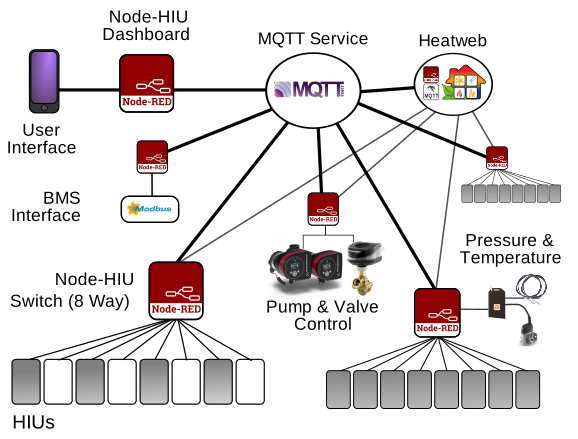
MQTT Infrastructure
-
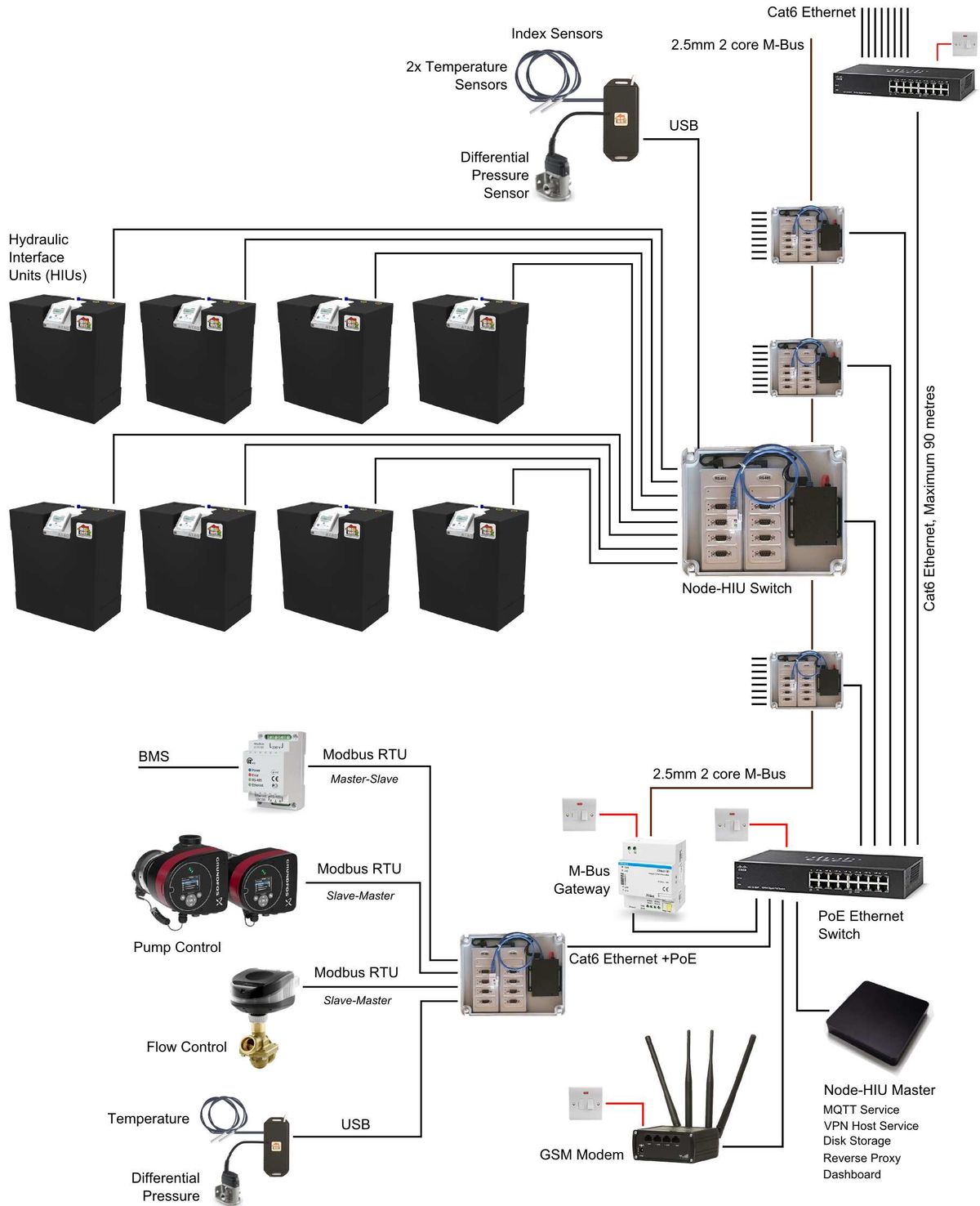
One to eight HIUs (Hydraulic Interface Units) connecting to a single Node-HIU Switch, over RS485. Cat6 cable (4 twisted pairs) is used to also convey M-Bus data, and two other.
-
One to eight (or more) Node-HIU Switches connect to an Ethernet Switch, typically using PoE (Power Over Ethernet) to obtain power as well as a network connection. Cat6 network cable is used for connection. From the Nodes, the M-Bus network is run separately, in parallel, in 2.5mm twin core cable.
-
Network Switches daisy chain (or loop) to the Internet Router / Modem / default gateway. Cat6 network cable is used for connection.
-
One or two Node-HIU Switches on a network are given a fixed address and host the key services with redundancy:
- MQTT Messaging Service (can optionally be a cloud based service)
- User Dashboard
- VPN Service, for secure remote connection to dashboard
Optionally:
- A Node-HIU Switch provides a Modbus Interface to BMS.
- One or more Node-HIU Switches with attached differential pressure & temperature sensors to feed back riser data for pump control.
- A port on the local network (LAN) is forwarded (by the default gateway) to the designated Node-HIU Switch providing the local networks MQTT services. This is to enable connections to be established from a plantroom, or for protected user connectivity via MQTT enabled phone apps.
- A port on the local network (LAN) is forwarded (by the default gateway) to a designated Node-HIU Switch providing
- HTTPS Connection, for encrypted remote connection
- Reverse Proxy Hosting, for addressing devices running browser based services
And where cabling is not possible the GSM route is available.
-
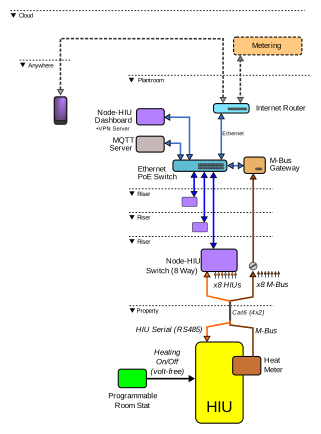
Wiring
-
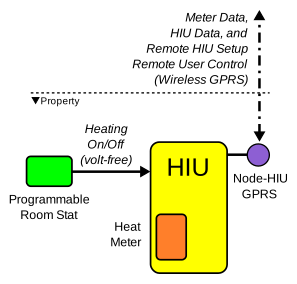
GSM Wiring
Compatible HIUs
The Node-HIU system is designed to work with our full range of electronic HIUs, known across the industry as the most efficient systems ever tested independently to the BESA standards, as referred to in the latest codes of practice.
The DATA HIU
-
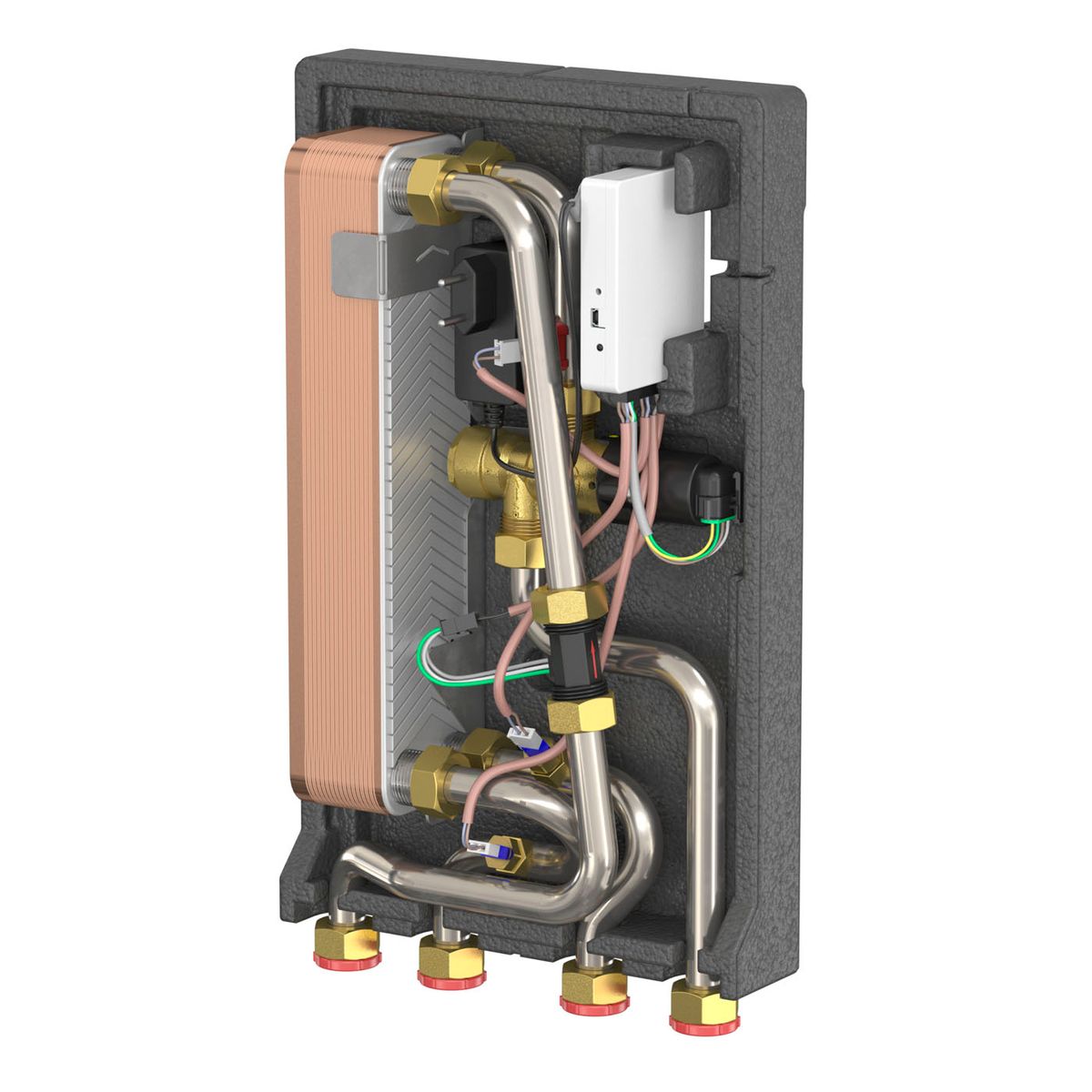
The SLIM HIU Single Plate HIU for DHW or UFH. More...
-
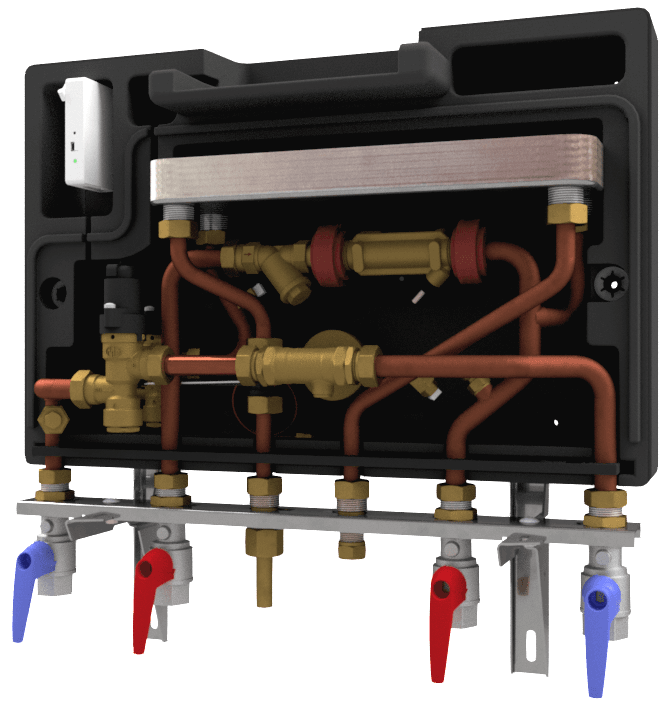
The DIGI HIU Single Plate Electronic HIU for DHW with Direct Heating. More...
-
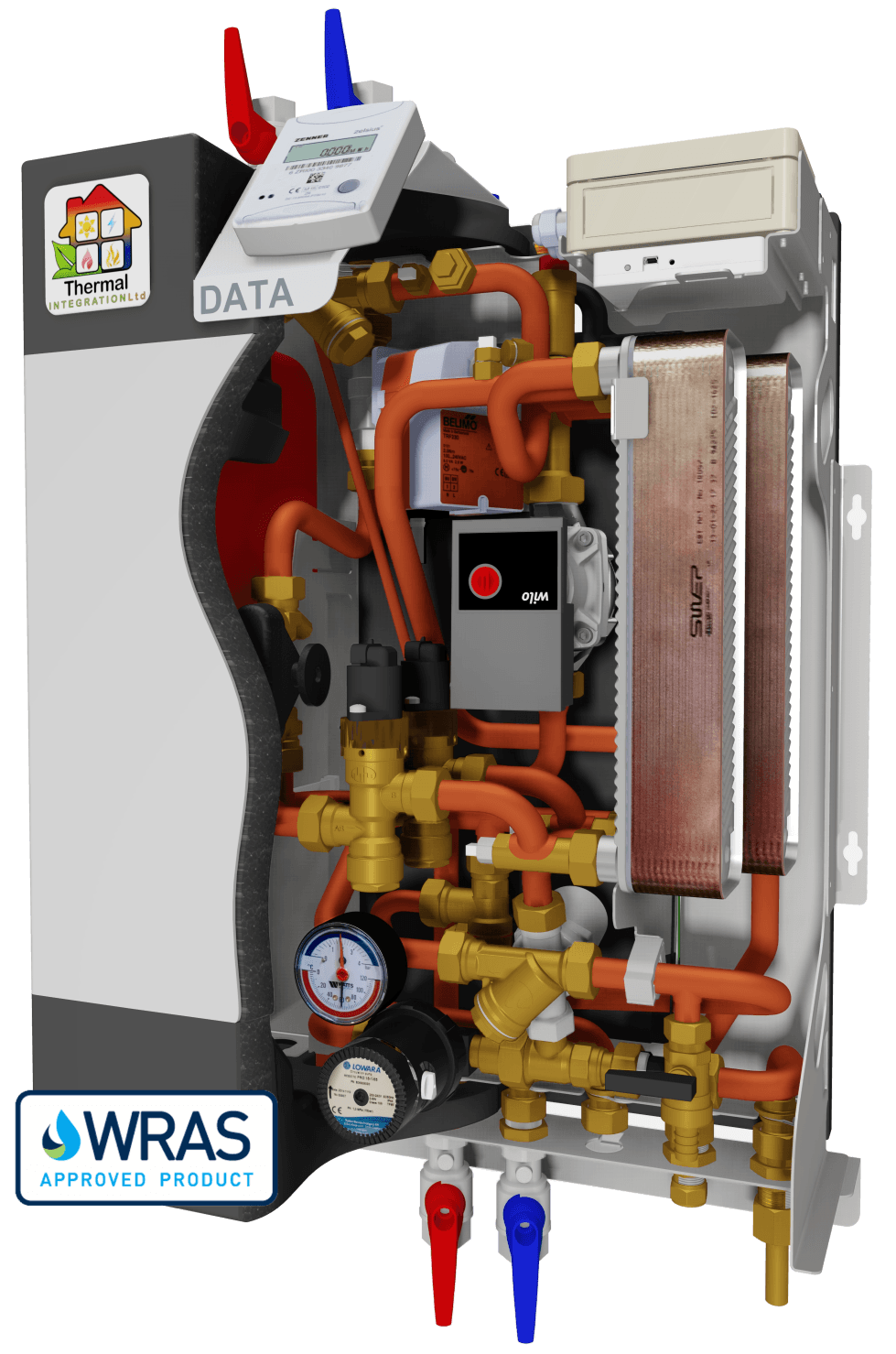
The DATA HIU Twin Plate Electronic HIU. More...
-
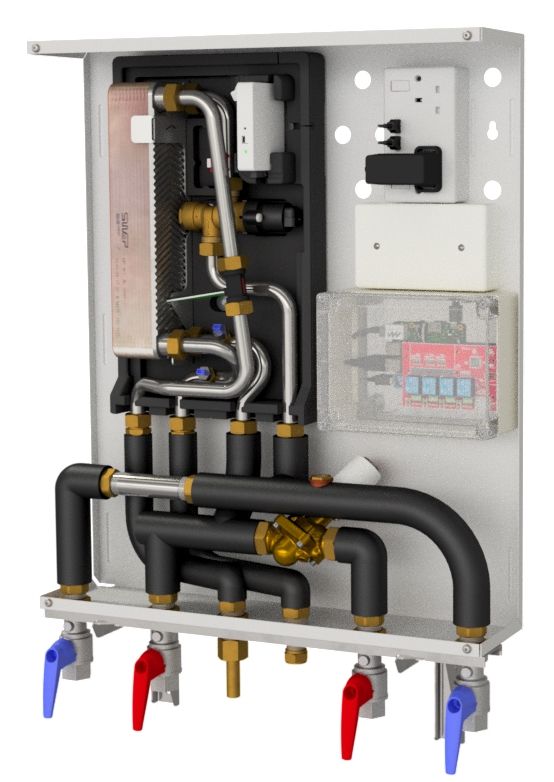
The SLIM Extra HIU Single Plate Electronic HIU. More...
-
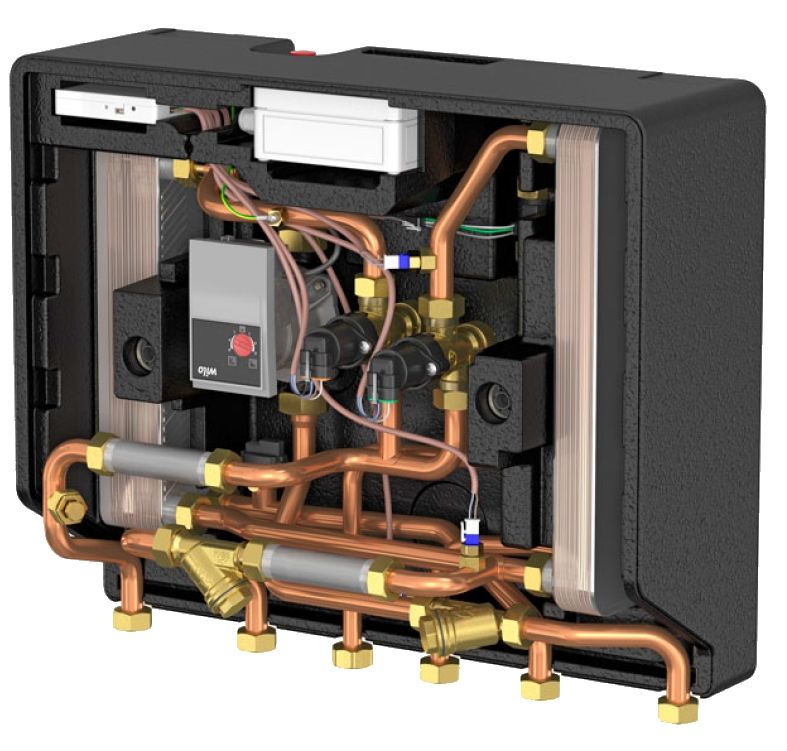
The DATA SPLIT HIU Twin Plate Electronic HIU. More...
-
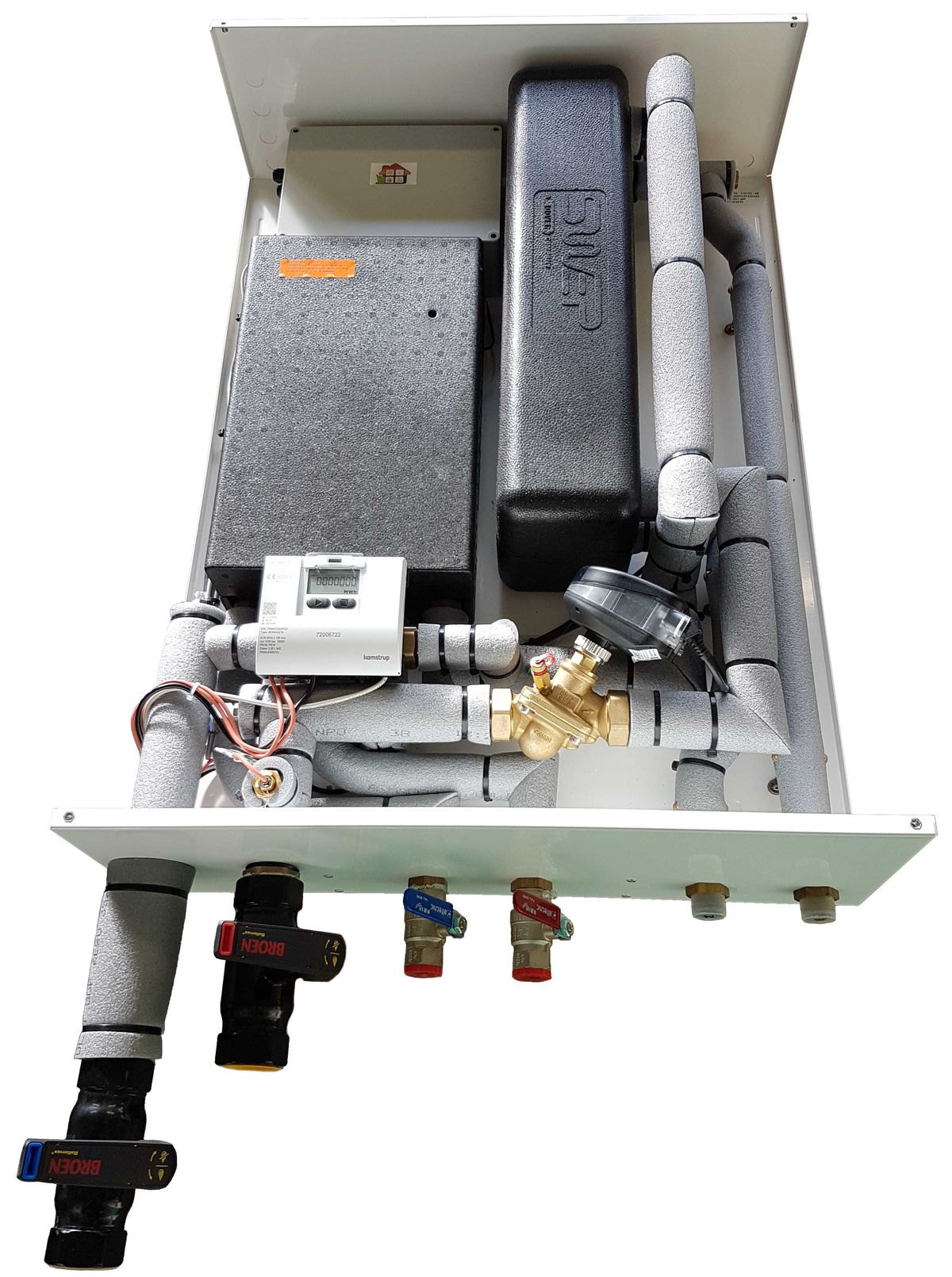
The DATA Extra HIU Twin Plate Electronic HIU with 70kW Heating Output More...
The system can also interface with any HIU that uses Modbus RTU for communications.
Hardware Specification
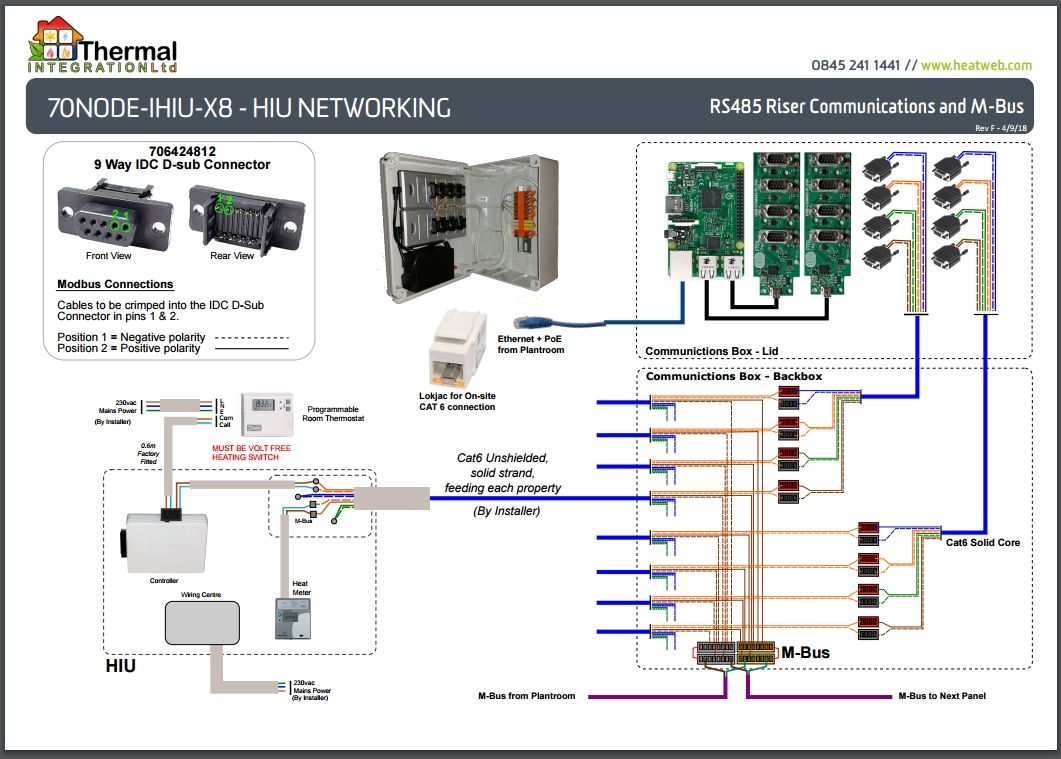
| Model | Node-HIU Switch M8 |
| HIU Connections | 8 x RS485 8 x M-Bus (separate network) |
| Network Connections | 1 x Ethernet 2 x M-Bus WiFi Bluetooth Low Energy (BLE) Modbus RTU (utilises one of the RS485 ports) |
| Power | Standard: 5v 2.5A Mains Plug Adapter Option: Power Over Ethernet (PoE) |
| Processor | Quad Core 1.2GHz Broadcom BCM2837 64bit CPU |
| Memory | 1GB RAM |
| Expansion | 2 x USB Ports 40 Pin GPIO Header |
| Optional Peripherals | Temperature Sensors (daisy chain of up to 10) Differential Pressure Sensor GSM USSD Modem Flash Data Storage Drive |
Software Specification
| Logic Control | Node-RED |
| Communications Protocols | MQTT HTTP HTTPS M-Bus (Master) Modbus (Master/Slave) HIU Serial (Thermal Integration) User Defined Serial |
| Hosted Services | Node-RED Dashboard Mosquitto MQTT Service VPN Host HTTPS Reverse Proxy (certificates required) |
| Client Services | Heatweb Cloud Storage, for data logging Dropbox, for shared data storage and retrieval Email, for reporting and alarms |
| Software Platforms | Node.js (Node-RED) Python |
MQTT
MQTT Topic Structure
We use a common MQTT topic structure across all projects.
Topics are split into 5 levels, separated by a slash. They are case sensitive and should be free of spaces or special characters.
network / node / device / group / key
These levels allow us to organise data in a standard structure, and to set permissions accordingly.
| Level | Description. |
|---|---|
| network | A unique identifier for the heat network. |
| node | An unique (for each network) identifier for each system running Node-RED on a network, MAC address, or a fixed LAN ip address. |
| device | An identifier for the connected device (e.g. HIU serial number) or sub-system. |
| group | The type of data. This is used for basic grouping, and for controlling data access. |
| key | An identifier for the data. |
As an example, the following would be a typical topic referring to temperature data:
CO102XW/b4hdn76s/d234ab3c7800fee1/dat/tH
Standard MQTT Topics for HIUs
The following table shows the structure of standard topics available for each HIU.
Readings
| Group | Key | Description | Units |
|---|---|---|---|
| dat | tCHo | Temperature of flow to central heating | °C |
| dat | tH | Temperature of primary flow | °C |
| dat | tHoCH | Temperature of primary return on central heating | °C |
| dat | tCo | Temperature of DHW flow to taps | °C |
| dat | tHoDHW | Temperature of primary return on DHW | °C |
| dat | last_tCo | Last recorded tap use, DHW supply temperature | °C |
| dat | last_tH | Last recorded tap use, primary supply temperature | °C |
| dat | last_tHoDHW | Last recorded tap use, primary return temperature | °C |
| dat | TTdhw | Setpoint temperature for DHW | °C |
| dat | fHCH | Flow rate on primary for central heating | ltr/min |
| dat | fC | Flow rate of DHW to taps | ltr/min |
| dat | fHDHW | Flow rate on primary for DHW | ltr/min |
| dat | dpH | Differential pressure on primary circuit | bar |
| dat | pCH | Central heating pressure | bar |
| dat | stat | Call for central heating (room thermostat) on volt free wiring connection | 0 / 1 |
| dat | pump | Pump activated | 0 / 1 |
| dat | xCH | Central heating valve position | 0-270 |
| dat | xDHW | DHW valve position | 0-270 |
| dat | st | System state | |
| dat | eS | Error state | |
| dat | eT | Time in error state | seconds |
| dat | vH | Volume drawn on primary since boot | litres |
Settings
| Group | Key | Description | Units |
|---|---|---|---|
| settings | setpoint | Setpoint temperature for DHW | °C |
| settings | WarmupBoost | Boost flow rate when flushing cold primary feed | ltr/min |
| settings | EcoMode | Keep warm mode | eco / comfort |
| settings | PressureMode | Differential pressure calculation mode | auto / bar |
| settings | PowerUpCounter | Number of times the HIU controller has been powered | |
| settings | ErrorCounter | Time in error state | seconds |
| settings | DHReturnLimit | Central heating primary return limit | °C |
| settings | HESupply | Maximum central heating supply temperature | °C |
| settings | PumpTimeout | Central heating pump over-run | seconds |
| settings | PumpProtection | Pump low pressure protection enabled | 0 / 1 |
| settings | HEProtectionMode | Central heating return limit enabled | 0 / 1 |
| settings | DHWExchangerAntiLegionella | Anti-Legionella cycle enabled | 0 / 1 |
| settings | DHWExchangerEcoHeatTemperature | Keep warm temperature | °C |
| settings | DHWExchangerEcoHeatTime | Keep warm timer | minutes |
| settings | CentralHeatingControl | Central heating enabled | 0 / 1 |
| settings | PrePayShutOff | HIU enabled (for prepay control) | 0 / 1 |
| settings | BUILDDATE | Firmware build date | |
| settings | BUILDTIME | Firmware build time |
Statistics
| Group | Key | Description | Units |
|---|---|---|---|
| stat | vC | DHW accumulated total | litres |
| stat | DHWCount | Number of tap uses | |
| stat | e_TEMPERATURESENSORS | Error relating to temperature sensors | |
| stat | e_FLOWSENSOR | Error relating to DHW flow sensor | |
| stat | e_PRIMARYCONTROL | Error relating to valves | |
| stat | e_DISTRICTHEATING | Error relating to heat network | |
| stat | e_CHRETURNTEMP | Error relating to central heating return sensor | |
| stat | e_DHWTEMP | Error relating to DHW temperature sensor | |
| stat | e_DISTRICTHEATINGTEMP | Error relating to heat network temperatures | |
| stat | e_DHRETURNTEMP | Error relating to DHW return sensor | |
| stat | e_CENTRALHEATING | Error relating to central heating | |
| stat | e_WARMUPTIMER | Error relating to warm-up times | |
| stat | e_CHTEMPWARNING | Warning relating to central heating temperatures | |
| stat | e_CHTEMPERROR | Error relating to central heating temperature sensor | |
| stat | tis | Time in current state | seconds |
| stat | beacon | HIU alive beacon |
System Variables
| Group | Key | Description | Units |
|---|---|---|---|
| system | node | A unique identifier for the Node-HIU Switch | |
| system | network | A unique identifier for the network | |
| system | Serial | The serial number of the HIU | |
| system | lastcontact | The time the HIU last made contact | |
| system | time | The unix time the HIU last made contact | |
| system | property | The property location | |
| system | Firmware | HIU firmware version | |
| system | CPUcore_1 | Node processor 1 usage | % |
| system | CPUcore_2 | Node processor 2 usage | % |
| system | CPUcore_3 | Node processor 3 usage | % |
| system | CPUcore_4 | Node processor 4 usage | % |
| system | CPUMemory | Node memory usage | % |
| system | iplan | IP address on local network | |
| system | mac | MAC address | |
| system | ipwan | IP address on internet | |
| system | tempid | Temporary (weekly) id for HIU | |
| system | usb | USB port identifier for HIU | |
| system | Nodeware | Node software version |
Node Settings
| Group | Key | Description | Units |
|---|---|---|---|
| local | n_tempid | Temporary id | |
| local | n_logtosd | Log data to SD card | |
| local | n_logtoheatweb | Log data to heatweb.info | |
| local | n_logtopool | Log DHW data to public data pool under temporary (anonymous) id | |
| local | n_ptype | Property type | |
| local | n_flow | Node-red flow template | |
| local | n_network | Network id | |
| local | n_rolemodel | Node-red flow template author system | |
| local | n_SYSid | heatweb.info id | |
| local | n_node | Node id | |
| local | n_readonly | read only file system | |
| local | n_email | Administrator email address | |
| local | n_runcount | Node power-up counter |
MQTT is a publish/subscribe system, and devices can subscribe to topics using wildcards.
| Description | MQTT Topic |
|---|---|
| All network data (admin level) | network/# |
| All data from a unique node | +/node/# |
| All differential pressure data on the network | network/+/+/+/dpH |
| All DS18B20 temperature sensors on network | network/+/+/ds18b20/# |
| All Alarms from network | network/+/+/alarm/# |
Standard MQTT Topics for Heat Meters
The following table shows the structure of standard topics available for heat meters.
Readings
Note that HM stands for Heat Meter. Cooling meters would have a CM instead.
In the topic structure, the Node level represents the unique identifier (serial number) of the M-Bus Gateway the meter is connected to.
| Group | Key | Description | Units |
|---|---|---|---|
| dat | tHMf | Temperature of primary flow | °C |
| dat | tHMr | Temperature of primary return | °C |
| dat | kwhHM | Energy used to date | kWh |
| dat | kwHM | Curent power | kW |
| dat | fHM | Current primary flow rate | litres/minute |
| dat | vHM | Volume used to date | litres |
Stored Data
Where data is stored it is in JSON format, the IoT standard.
The topic CO102XW/b4hdn76s/d234ab3c7800fee1/dat/tH would form part of a data object with the following structure:
CO102XW.b4hdn76s.d234ab3c7800fee1.dat.tH = 75.3
The output JSON would look like:
{"CO102XW":{"b4hdn76s":{"d234ab3c7800fee1":{"dat":{"tH":75.3}}}}}
For multiple devices this may look like:
{"CO102XW":{"b4hdn76s":{"d234ab3c7800fee1":{"dat":{"tH":75.3,"tHoCH":42.3}}},"cfg566fg":{"d65ahchddk8899hh":{"dat":{"tH":70.1}}}}}
Modbus
Modbus Slave Request Log
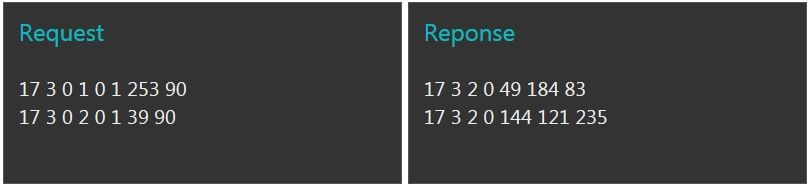
Modbus Setup
| Address | 17 |
| Baud | 9600 |
| Data Bits | 8 |
| Parity | None |
| Stop Bits | 2 |
| Data Type | 16INT |
| Function Codes | 3 (read), 6 (write) |
Modbus Registers
| Description | Register | Units |
|---|---|---|
| Lowest differential pressure | 1 | kPa [x10] |
| Age of Lowest | 2 | seconds |
| Highest differential pressure | 3 | kPa [x10] |
| Age of Highest | 4 | seconds |
Node-RED
Node-RED is an open-source visual programming system, developed by IBM, based on JavaScript code and nodes that are programmed and wired together in a browser based editor. It can run on just about any computer system, from the humble Raspberry Pi to cloud based platforms.
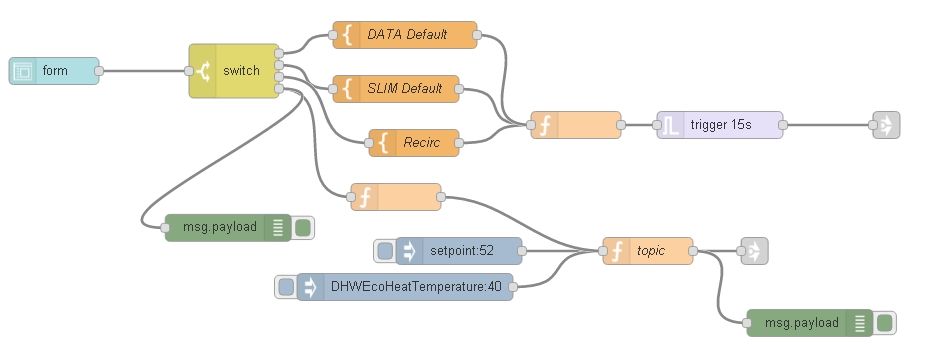
It is used at every level of the Node-HIU system, and not just on our own systems, but also those of the mobile providers and IT equipment manufacturers. For the first time, all software logic is unified under one roof, making Node-RED a viable alternative to established BMS technologies.
- HIU interface
- Modbus interface to plantroom
- Network DP & Temperature sensors
- Cloud services on our Heatweb
- Thingstream API, for logic routing of USSD messages over mobile network
- Multitech LoraWAN wireless gateways, for logic routing network traffic
These virtual 'wiring diagrams' are known as a flows, with a number of flows combining to form the overall package. The flow file is saved in a json format that can be imported into other systems.
There are a huge array of existing nodes to be dropped into flows, with more web based service providers, OEMs, and collaborative groups, launching their own. The array and flexibility of these nodes puts existing BMS systems to shame.
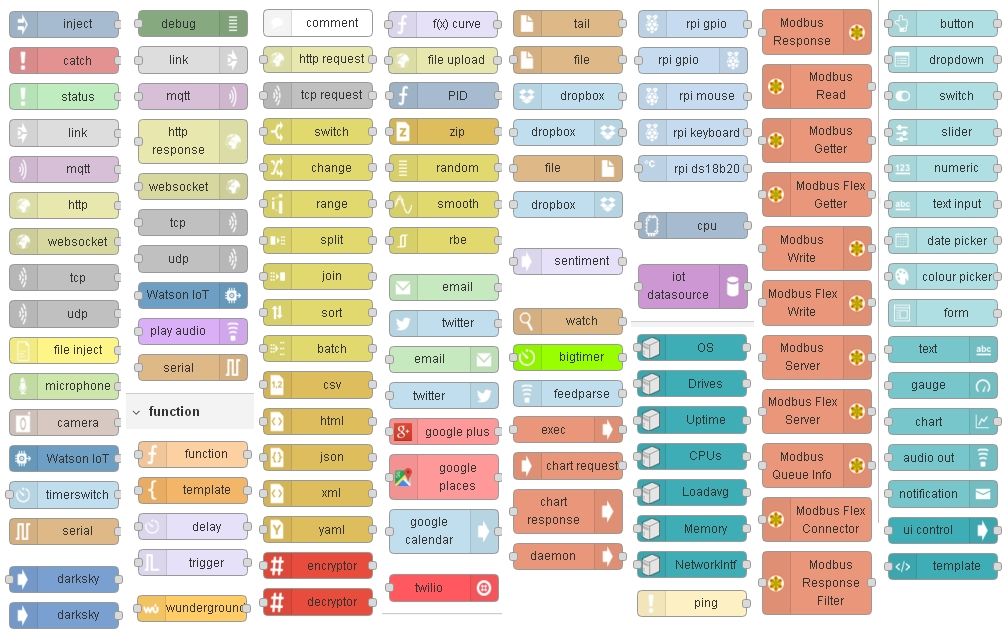
The function node allows user defined software code, written in JavaScript, to create more complex functionality.
Related Equipment
Node-HIU GSM Switch
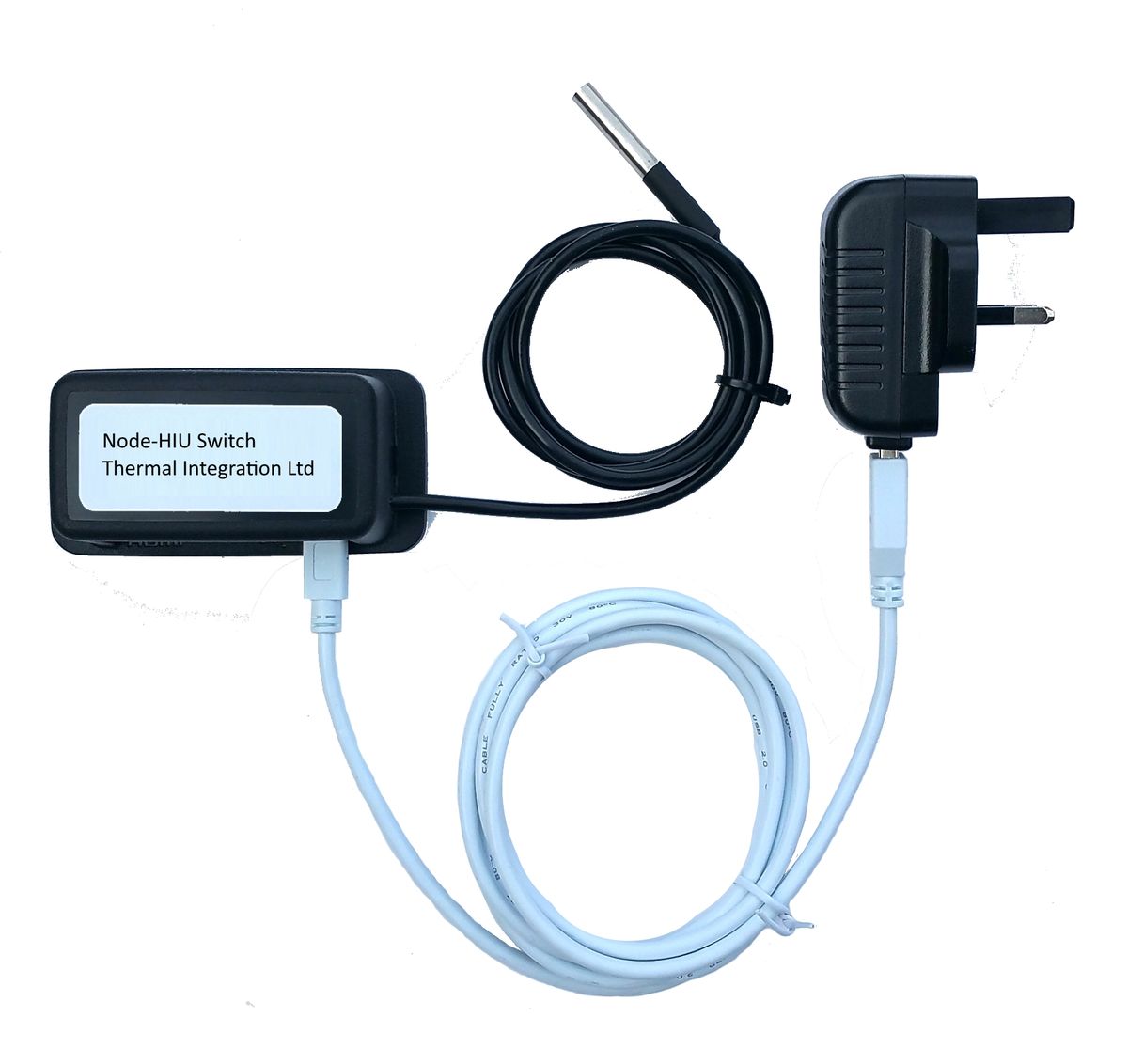
- Sends data from anywhere there is any mobile signal on any network
- Just requires power, via a standard plug socket or USB power source
- From one to ten daisy-chained temperature sensors, 2 as standard.
- Optional FTDI cable to connect to HIUs
- Optional DP/Temp sensor
Node-HIU Touchscreen Panel
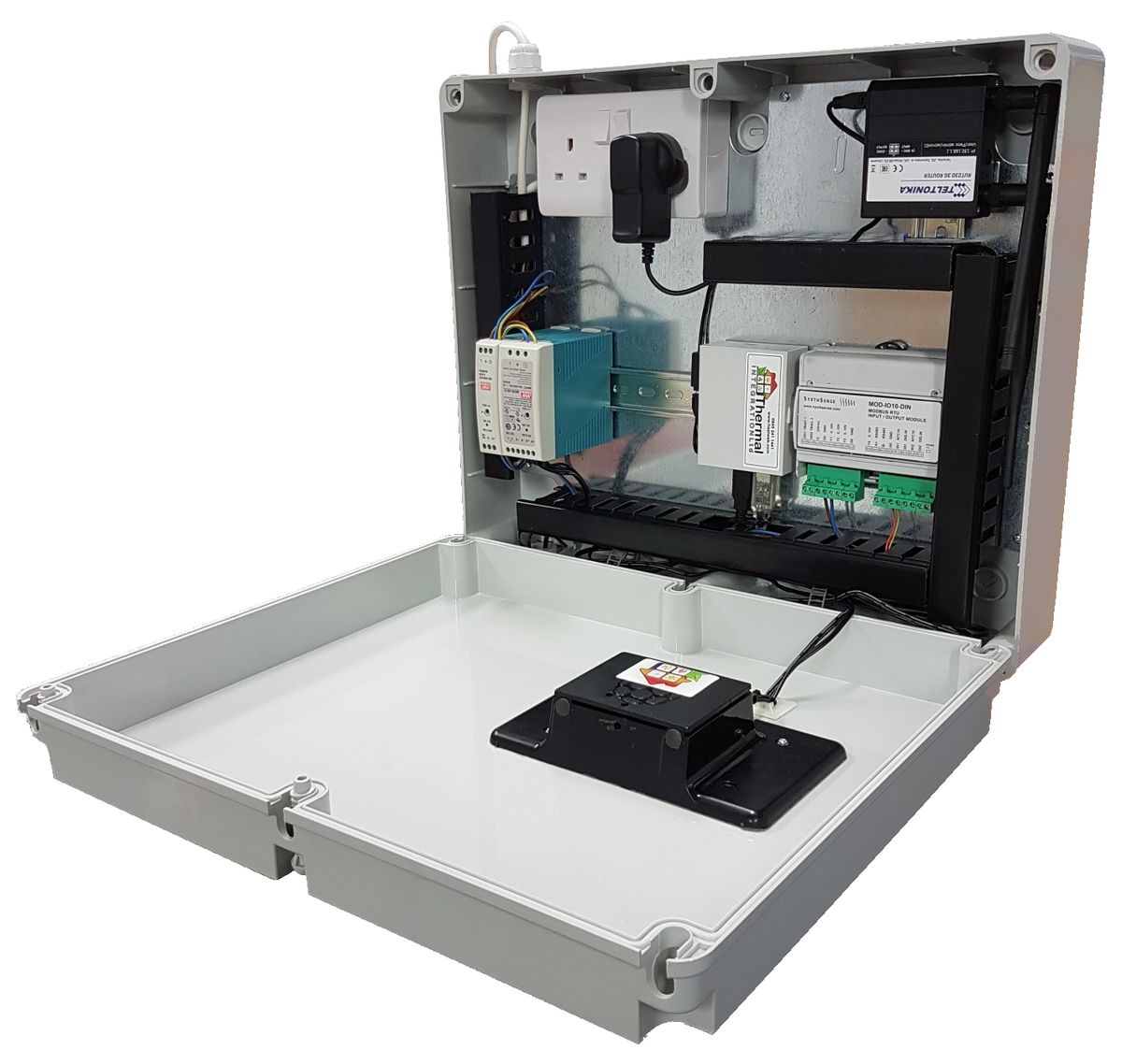
The heart of the system.
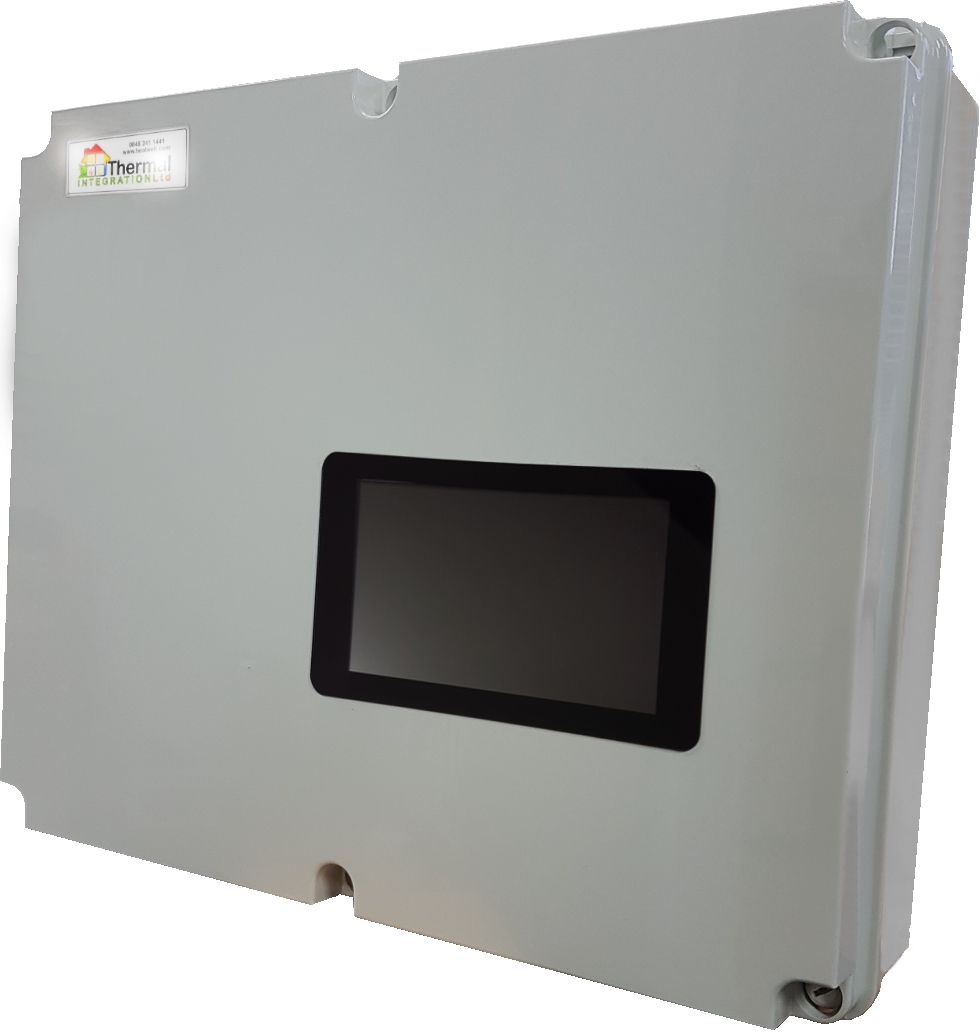
- Touch screen display
- GSM modem
- 2 year SIM contract with 5GB/m and fixed public IP address
- Power supplies for controls
- Node-RED controllers
- MQTT server
- VPN server
- Valid HTTPS certificate
- Reverse proxy
- Pre-commissioned before arriving on site
- Optional Modbus I/O module(s) for
- analogue (0-20mA / 0-10v) inputs and outputs
- digital inputs and outputs
- SSR relay outputs
- Optional M-Bus module(s) for meter reading
- All network variables, inc. HIU data, plantroom data, meter data, and operational data presented over standardised MQTT data structure
- Alarm detection and reporting via email, SMS, automated voice call or postal letter